Kaiju Agents Behavior
Integration for Kaiju Agents with Unity Behavior.
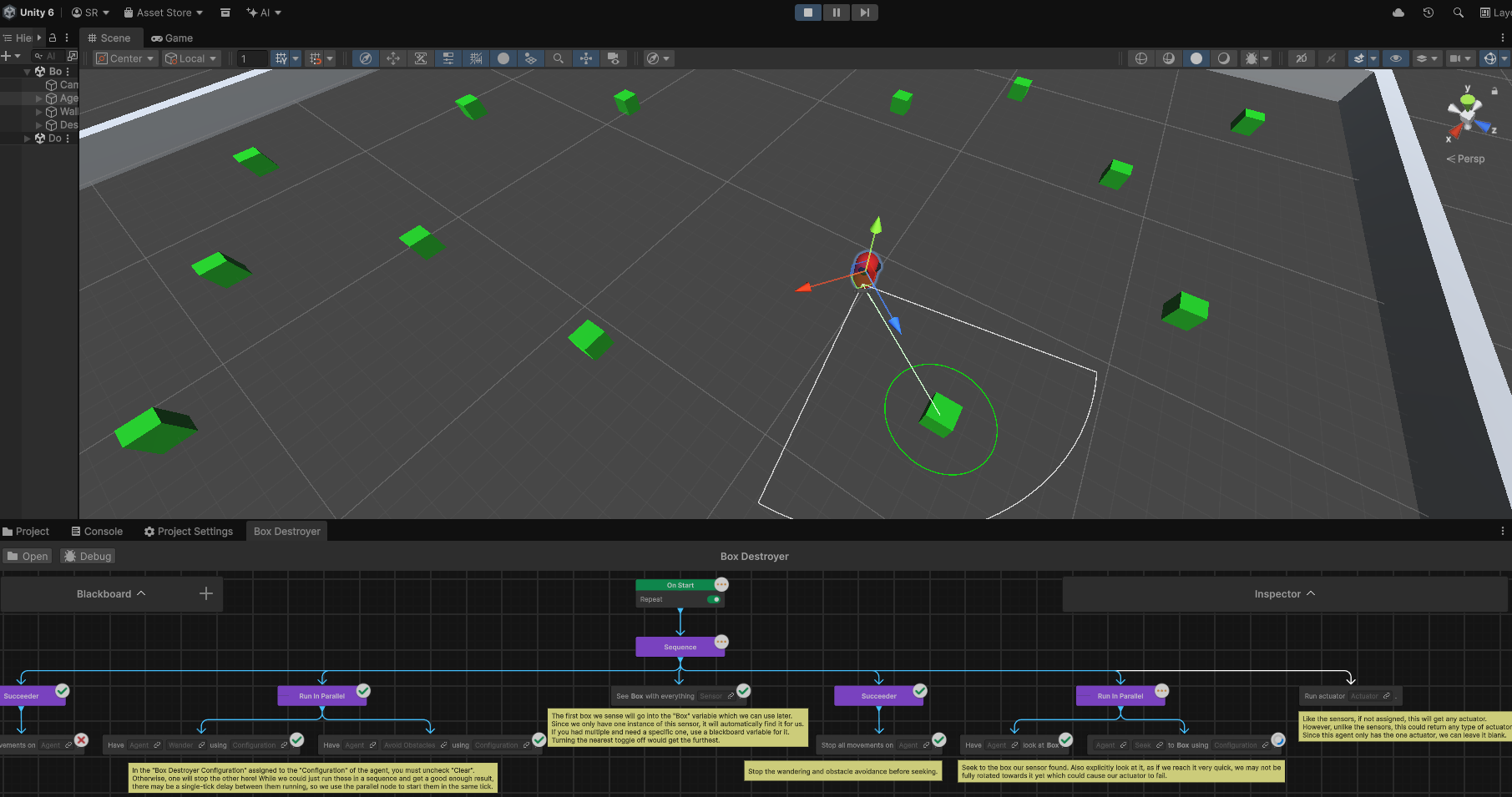
This extension provides to nodes for accessing the movement, sensors, and actuators of Kaiju Agents in graphs created with Unity Behavior.
Installation
- Install Kaiju Agents.
- In your Unity project, from the top menu, go to
Window > Package Management > Package Managerand click the+icon in the top left followed byInstall package from git URL.... - Paste in one of the below options:
Latest Release - Recommended
https://github.com/Kaiju-Solutions/Kaiju-Agents-Behavior.git#release
Specific Release
Replace the #release in the latest release installation with the version number of the given release.
Development
This will pull directly from the main branch, and is not recommended unless there is a specific feature needed not yet in the latest release.
https://github.com/Kaiju-Solutions/Kaiju-Agents-Behavior.git?path=/Packages/com.kaijusolutions.agents.behavior
Samples and Exercises
Nodes have been created for the "Microbes" and "Capture the Flag" exercises of Kaiju Agents. Additionally, a sample graph for Unity Behavior has been created for the "Box Destroyer" sample. To get started with this:
- Import the "Box Destroyer" sample from Kaiju Agents.
- Import the "Box Destroyer" sample of "Kaiju Agents Behaviour".
- Find the imported core Kaiju Agents assets of the "Box Destroyer" sample.
- Select the "Box Destroyer Configuration" and uncheck the "Clear" field.
- Open the "Box Destroyer" scene and select the "Agent". Remove its "BoxDestroyerController" component. Add a "Behavior Graph" component and assign the imported "Box Destroyer" graph asset to the "Behavior Graph" field.